
37° Bracelet Lite2.0.3 - Google Play
You'll be able to see results in few seconds.
Publisher Description
“Live in the Know”
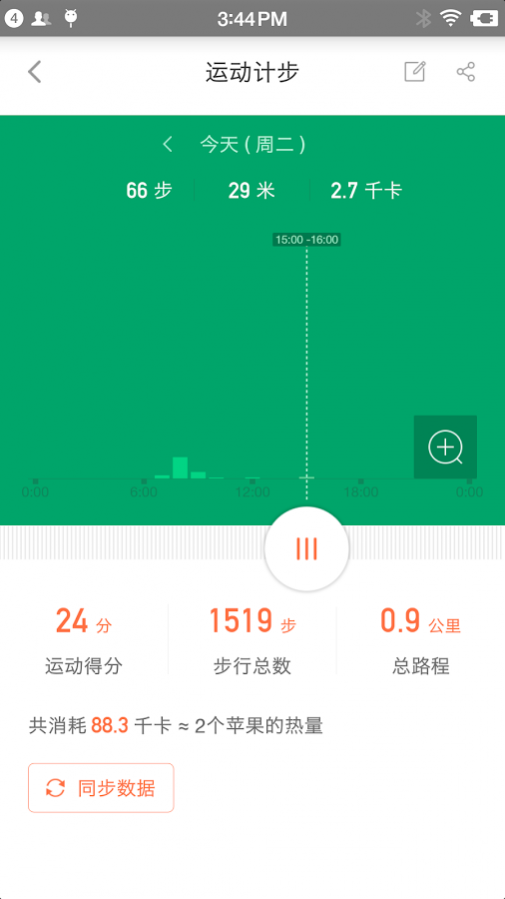
37 degree bracelet is a smart wearable device for wellness management. With the bracelet, your hourly heart and breathe rate, even sleep quality, pace, mood/fatigue status are monitored and accumulated to generate daily, weekly, and monthly reports. According to the analysis of results, this app provides advice accordingly to lead you a healthier life.
The parameters of the product are as the followings:
Bluetooth 4.0 Technology: Ultra-low power consumption that contributes to superior battery life.
Periodic Report: Helps you understand health trends based on historical data and analysis.
Personal Health Advisor: Provides individualized advice to help improve your health and fitness results.
Firmware Upgrade: Upgrading bracelet firmware helps increase measurement accuracy and can be done wirelessly with ease.
Remote Care: Obtain reports of family members or cared ones wearing the bracelet remotely without interruption.
Continuous Heart Rate: Measure your heart rate continuously under different scenarios, and get a clearer view of your heart rate variances.
Sharing Workout Results: Share your exercise results through the social network, promote positive competition and help achieve your exercise goals.
personal exercise goal.
To Immerse yourself in the world of 37°
www.37body.com
Contact us at
contact@37body.com
About 37° Bracelet Lite
The company that develops 37° Bracelet Lite is 上海三十七度科技有限公司. The latest version released by its developer is 2.0.3.
To install 37° Bracelet Lite on your Android device, just click the green Continue To App button above to start the installation process. The app is listed on our website since 2016-11-03 and was downloaded 0 times. We have already checked if the download link is safe, however for your own protection we recommend that you scan the downloaded app with your antivirus. Your antivirus may detect the 37° Bracelet Lite as malware as malware if the download link to com.body37.lite is broken.
How to install 37° Bracelet Lite on your Android device:
- Click on the Continue To App button on our website. This will redirect you to Google Play.
- Once the 37° Bracelet Lite is shown in the Google Play listing of your Android device, you can start its download and installation. Tap on the Install button located below the search bar and to the right of the app icon.
- A pop-up window with the permissions required by 37° Bracelet Lite will be shown. Click on Accept to continue the process.
- 37° Bracelet Lite will be downloaded onto your device, displaying a progress. Once the download completes, the installation will start and you'll get a notification after the installation is finished.
Program Details
System requirements
Download information
Pricing
Version History
version 2.0.3
posted on 2016-11-03
Fix minor bugs! Download and enjoy now!
Disclaimer
Official Google Play Link
We do not host 37° Bracelet Lite on our servers. We did not scan it for viruses, adware, spyware or other type of malware. This app is hosted by Google and passed their terms and conditions to be listed there. We recommend caution when installing it.
The Google Play link for 37° Bracelet Lite is provided to you by apps112.com without any warranties, representations or guarantees of any kind, so access it at your own risk.
If you have questions regarding this particular app contact the publisher directly. For questions about the functionalities of apps112.com contact us.
